


Give your factory screen the apps you actually use.
Go wireless on every drive. Enjoy Netflix, YouTube, live TV and more when you’re parked.

AIBOX GO
For most cars with wired CarPlay or Android Auto from around 2016. Not compatible with BMW, MINI or Rolls-Royce.
Current price:
$109.00
VAT included
Regular price:
$161.00
-
Wireless CarPlay & Android Auto
Starts with your car and reconnects automatically. Your phone stays in your pocket.
-
32 popular apps, ready to use
Netflix, YouTube, MagentaTV, Disney+, Spotify, DAZN and more, directly on your screen.
-
No DashNova monthly fee
Pay once for the box, then use the app subscriptions you already have.

AIBOX GO PRO
For cars with factory wireless CarPlay, including BMW models with iDrive 6.0–8.5.
Current price:
$218.00
VAT included
Regular price:
$310.00
-
Wireless CarPlay & Android Auto
Starts with your car and reconnects automatically. Your phone stays in your pocket.
-
Google Play Store included
Download the apps you want, just as you would on your phone.
-
No DashNova monthly fee
Pay once for the box, then use the app subscriptions you already have.
-
Tracked shipping
Free over €90. Dispatched within 24 hours.
-
60-day money-back guarantee
Make sure it’s right for your car.
-
2-year warranty
Included with every box.
-
Support from real people
Talk to us on WhatsApp or by email.
Apps
Your favourite apps. One familiar screen.
30+ apps for music, maps and streaming. Just sign in with your existing accounts.


Compatibility
Does DashNova work with my car?
Choose your make, model and year. We’ll point you to the right AIBOX.
Can’t find your car? Email support@dashnova.eu and we’ll check it for you.
Your apps stay available— even on the move.
DashNova does not disable video playback while the car is moving. For passengers only where local law permits; drivers should watch only when safely parked.


Setup
Set up in about a minute.
No tools. No trip to the dealer. Just the USB port already in your car.

Step 1
Plug it in
Use the same USB port as wired CarPlay or Android Auto. A USB-C adapter is included.

Step 2
Pair once
Select DashNova in your phone’s Bluetooth list. After that, it reconnects automatically.

Step 3
Sign in and watch
Connect to Wi-Fi or your phone’s hotspot, open an app and sign in with your own account.
Best Sellers
-

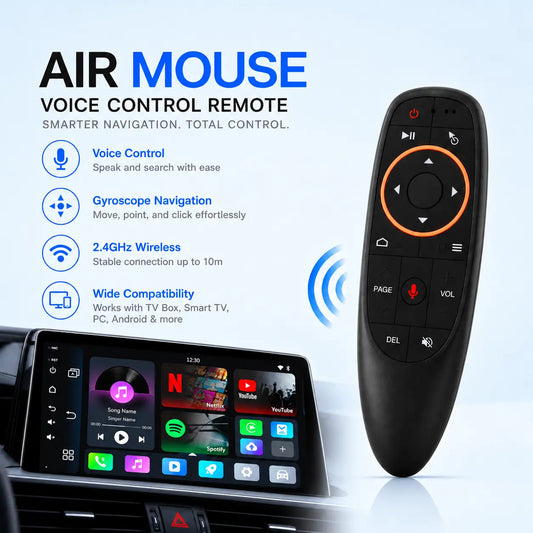 Sale
Bluetooth Mouse
Regular price $29.00 USDRegular price$41.00 USDSale price $29.00 USDSale -

 Sale
DashNova AIBOX GO
Regular price $109.00 USDRegular price$161.00 USDSale price $109.00 USDSale -
DashNova AIBOX GO PRO
Regular price $218.00 USDRegular price$310.00 USDSale price $218.00 USDSale -

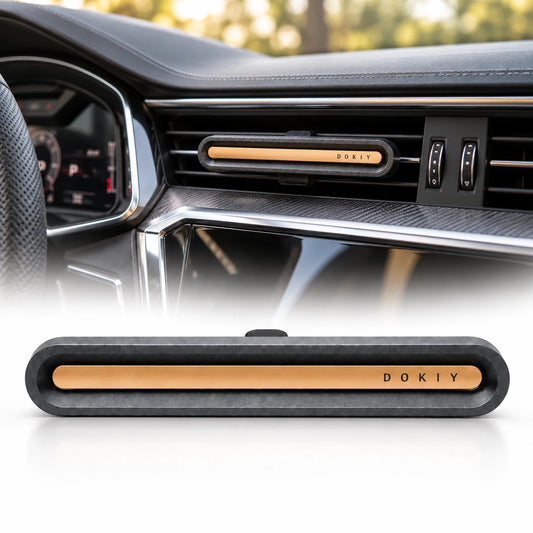 Sale
Dokiy Aroma
Regular price $23.00 USDRegular price$29.00 USDSale price $23.00 USDSale -

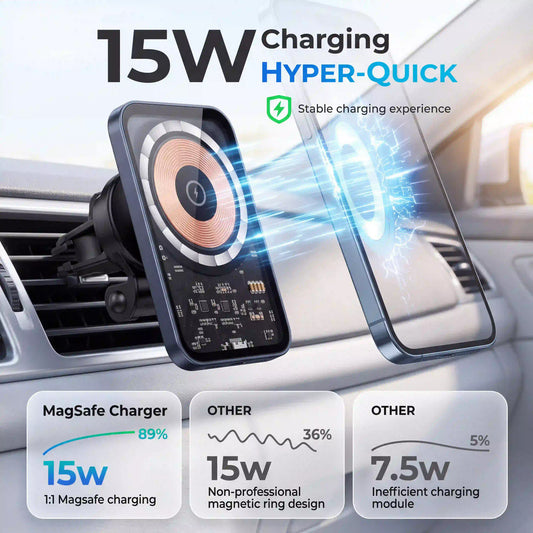 Sale
MagSafe Charger
Regular price $29.00 USDRegular price$35.00 USDSale price $29.00 USDSale


Who it's for
Made for real life on the road.
Long family journeys. Hours between jobs. One cable too many. DashNova makes each one easier.

For long family journeys
Disney+, YouTube Kids and cartoons for passengers, where permitted. Fewer “are we there yet?” moments.

For drivers between jobs
Uber, taxi, sales or delivery: IPTV between fares, podcasts at lunch and proper entertainment while parked.

For anyone done with cables
Wireless CarPlay and Android Auto whenever you start the car. No fumbling. No daily plug-in routine.
Why DashNova
Try it where it matters: in your own car.
Take 60 days to make sure it suits you, with a 2-year warranty and Klarna if you’d rather spread the cost.
Pay your way
Spread the cost with Klarna, or pay by credit or debit card.
DashNova
60 Days
Try it in your own car. Send it back if it isn’t right for you.
2-year warranty
Included with every box. If something goes wrong, we’ll replace it.
Tracked shipping
Free over €90. Orders are processed within 24 hours.
Support from real people
A real person will answer you on WhatsApp or by email.
No DashNova monthly fee
Pay once for the box. Keep using the app accounts you already have.
Excellent on Trustpilot
See what verified DashNova customers have to say.

Reviews
What drivers say after
living with it.

Four hours to grandma's used to be a war. Now I plug it in, the kids open Disney+, and I drive in peace. My friend bought one a week later for his car.
Thomas V.
Mercedes-Benz E-Class · Brussels
Verified purchase
I drive Uber 10 hours a day. Between rides — IPTV, YouTube, podcasts. Passengers ask what device it is. Already recommended it to five mates.
Daan V.
Opel Astra · Uber, Amsterdam
Tried three from Amazon. All junk — slow, overheating. This one is properly engineered. YouTube 1080p, no lag. Took ten minutes to sort the hotspot setup though.
Hans M.
Volvo XC60 · Munich
DAZN for the matches, Spotify for the commute, Netflix when I'm parked waiting for the kids. Worth every penny. Plugged it in, never thought about it again.
Anna K.
Audi A4 · Vienna
3,000+
Units shipped
99%
Would recommend
< 1%
Warranty claims
14
Countries
All reviews
What drivers say about DashNova
FAQs
Questions before you plug in?
Here are the answers drivers usually want before choosing their AIBOX.
Will DashNova work with my car?
AIBOX GO works with most cars that have factory wired CarPlay or Android Auto from around 2016. AIBOX GO PRO is for cars with factory wireless CarPlay, including many BMW models with iDrive 6.0–8.5. The quickest way to check is our compatibility checker .
What is the difference between AIBOX GO and AIBOX GO PRO?
AIBOX GO is the everyday choice for most cars with wired CarPlay or Android Auto and comes with 32 popular apps ready to use. AIBOX GO PRO is designed for factory wireless CarPlay systems and includes the Google Play Store, so you can download additional apps.
Do I need to pay a monthly fee?
No. DashNova does not charge a monthly fee. You buy the box once and sign in with the app accounts you already use. Services such as Netflix, Disney+ or Spotify may still require their own subscription.
Does it need an internet connection?
Wireless CarPlay and Android Auto use your phone as normal. Streaming apps need internet access, either through your phone’s hotspot or another Wi-Fi connection. Your mobile provider’s usual data charges may apply.
How long does setup take?
Usually about a minute. Plug the AIBOX into your car’s CarPlay or Android Auto USB port, pair it with your phone once, then connect to Wi-Fi or your phone’s hotspot for streaming. No tools or dealer visit needed.
Can I watch video while driving?
DashNova does not disable video playback while the car is moving. However, watching video as the driver is dangerous and illegal in many countries. Playback on the move is for passengers only where local law permits; drivers should watch only when safely parked.
What if my car does not have a touchscreen?
You can add the DashNova Bluetooth Mouse to control apps on cars without a touchscreen. Check your car with our compatibility tool first, or contact us if you are unsure about your controls.
What if it is not right for my car?
You have 60 days to try DashNova in your own car. If it is not right for you, you can send it back under our money-back guarantee. Every box also includes a 2-year warranty.
How quickly will my order be sent?
Orders are processed within 24 hours and sent with tracking. Shipping is free on orders over €90.
Still not sure which AIBOX you need?
Ask DashNova
Tell us your car’s make, model and year. A real person will help.